- Event Promotion Tips
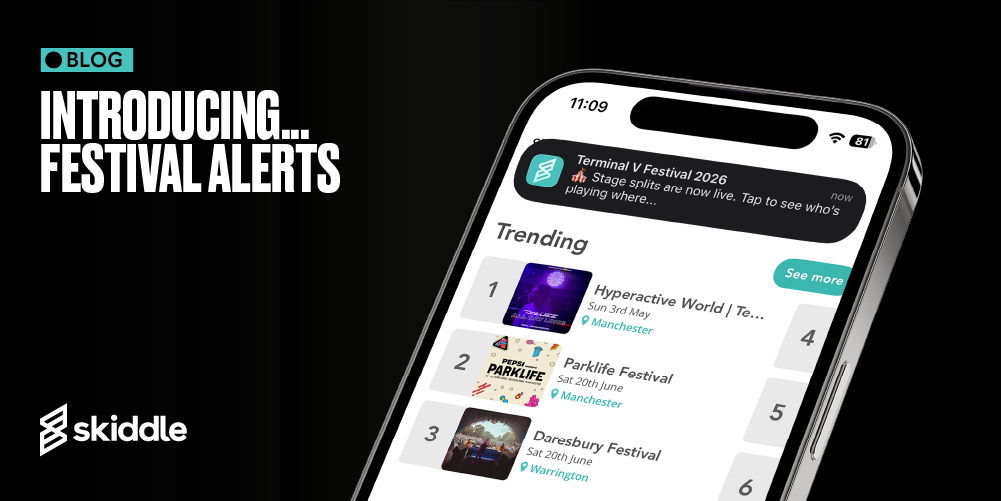
Introducing… Festival Alerts: A smarter way to engage your festival audience
-
By Dale Grogan
- 14 Apr 2026
- 5 min read
Festival season is upon us, and as the lacklustre springtime weather becomes more favourable, so too does ticket-buying intent.
Heading into this busy period, the BIG question for promoters is: how can I cut through the noise and encourage followers sitting on the fence to buy tickets to my event?
Introducing our latest event notification tool: Festival Alerts.
This powerful new feature, already delivering above-average engagement and outperforming standard marketing tools, allows you to keep your festival’s followers up to date throughout your event’s lifecycle and onsale campaign. Past ticket buyers are automatically added to your follower base, while new audiences can follow your festival manually via your festival page on desktop or in the Skiddle app.
Are Early Bird tickets for your event running low? Got a new addition to your lineup to shout about? Want to make noise about the Payment Plan you’ve just made available? You can use Festival Alerts for all this and more!
So, how does it all work? If you’re a festival organiser and you have an account with us, all you need to do is reach out to your Account Manager, who can arrange to have push alerts sent to all of your followers using the Skiddle app. There’s a total of 12 alert messages you can choose to send in the lead-up to your festival, with a limit on how many alerts can be sent across any 12-month period – because no one likes to be spammed.
- Event on sale
- Tickets now on sale
- Ticket prices are changing soon
- Payment plans are now available
- Line-up additions announced
- Full lineup announced
- Day splits announced
- Stage splits announced
- Payment plans ending soon
- Last chance to buy tickets
- Final tickets / Almost sold out
- New date announced
We also enforce a “quiet time” between the hours of 11 pm and 7:30 am, so we don’t disturb your customers. If an alert is due to go out at this time, we schedule it for sending the following morning at 7:30 am.
But what about the messaging? Do I have to supply the text to my Account Manager?
Sometimes, we might require some extra information from you, if, for example, you’d like the name of a specific ticket type to appear in an alert. Otherwise, we take care of everything for you. We’ll even refresh the messaging on said alerts to prevent your audience from becoming fatigued and to keep those ticket sales rolling in.
The stand-out benefit of this new feature – the one that sets us apart from the competition – is that we’re able to send Festival Alerts out to your entire follower base, usually within five minutes, so you can capitalise on your audience when they’re most active – exactly when it counts. In comparison, MailChimp can take anywhere between 30 and 60 minutes to send out email alerts to an entire opt-in database. Festival Alerts sent via email on Skiddle will be available later in the season.
Our alerts are fully GDPR compliant, and your customers can opt out of receiving alerts at any time by either unfollowing your festival or turning Festival Alerts off globally, via settings in the Skiddle app.
Fancy putting our Festival Alerts feature to the test? Get in touch with your Account Manager today.
If you’re currently using another service to list your festival, why not consider allocating tickets to Skiddle and experimenting with Festival Alerts and the many other free-to-use features in the Skiddle Promotion Centre – including Brand Alerts and Artist Alerts (generating around 8 million alerts per month, all free of charge for promoters using Skiddle).
Tags
Got a question you need an answer to?
Give us a call on 03333010301 or ask us a question over on the Skiddle Promoter Twitter account by clicking or tapping on the button below. Alternatively, you can also find a list of our most frequently asked questions over at https://help.promotioncentre.co.uk