drag • drag • drag • drag • drag • drag •
play me • play me • play me • play me • play me • play me •

Explosive Experiences. Smoothly Delivered

Bring local communities together for unforgettable firework displays while making promotion and event day easier to manage.

Form

Register your account

Create your free Promotion Centre account and start listing firework displays in minutes.

Calendar

Create an event

Set up ticketed displays quickly with simple tools built for organisers, venues, charities, and community groups.

App

Start selling tickets

Reach local audiences and sell tickets with no upfront costs.

fireworks

Highly rated by our customers

Trusted by the biggest names in the industry

"Skiddle's Promotion Centre is intuitive and easy to use. Edits can be made once events are published, and our customers have found the ticket-buying experience to be seamless. Using Rapidscan, we’re able to see just how many tickets have been scanned at the venue in real time, which allows us to manage the event space safely and efficiently."

"The Skiddle team are very hands-on in their approach. They strive to answer any queries we might have promptly. They always ensure the whole process of setting up and running an event is a seamless one. We couldn't recommend using them enough."

Digbeth Dining Club

65,236 Skiddle followers

"Having a platform like Skiddle on board has helped us to reach a much bigger audience. We’ve grown so much over the past decade, and this partnership is a key part of taking Laces Out! to the next level, bringing more people together to celebrate this community in the North West."

Laces Out Festival Logo
Comedy Features

For nights that go off with a bang
discounts
Light the fuse on early ticket sales

Create urgency among local audiences and encourage advance ticket sales with discount codes designed to help convert interest into bookings. Learn more

discounts
Keep queues moving

Use RapidScan, Skiddle’s free ticket scanning app, to validate tickets quickly at the gate and help guests enter your event faster. Learn more

boost
Turn local supporters into promoters

Reward customers for helping spread the word. Skiddle Reps allows fans to sell tickets on your behalf in exchange for incentives, helping you reach new audiences through trusted recommendations. Learn more

technical support (1)
Get your event in front of local people

Reach the right local audience with marketing support designed to increase visibility, drive ticket sales, and take the pressure off promotion.

Feature comparison

Feature Skiddle Eventbrite Ticket Tailor FIXR See Tickets
Brand Alerts Yes Yes No Yes Yes
Event Brands Yes Yes Yes Yes Yes
Cool Off (72hr Refund) Yes No No No No
Payment Plans Yes No No Yes Yes
Remind Me premium (SMS alerts) Yes No No No No
UK-based support team Yes No Yes Yes Yes
Same-day remittance payments Yes No No No No
Allocated seating Yes Yes Yes No Yes
Skiddle Reps (Affiliate Marketing) Yes No No Yes No
Dedicated in-house marketing team Yes No No No Yes
White label ticketing Yes No Yes Yes Yes
icon-swipe Swipe to compare

Got questions about listing your event?

Get in touch with our Account Support team.

Get in touch

How do I scan my event tickets?

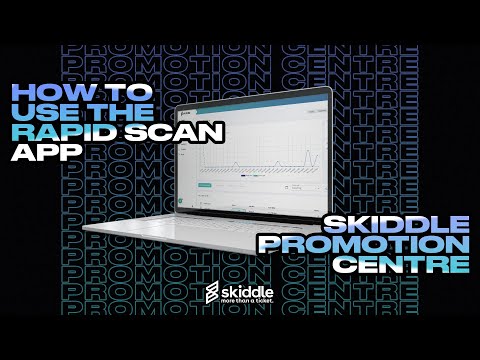
Tickets to your event can be scanned quickly and with-ease using our innovative RapidScan app, available to download for free for both iPhone and Android users. Read our FAQ article on scanning event tickets or watch our how-to video guide on RapidScan below.
Read the full article

How do I view my RapidScan redemption data?

From the Promotion Centre dashboard, head to the 'Analytics' tab on the left-hand navigation menu and click 'RapidScan Entry Stats'. Using the drop-down menu, select which event you would like to view the data for. Once selected, a page with a full breakdown of entry times, ticket names and more will appear.
Read the full article

How do I add guest users to RapidScan?
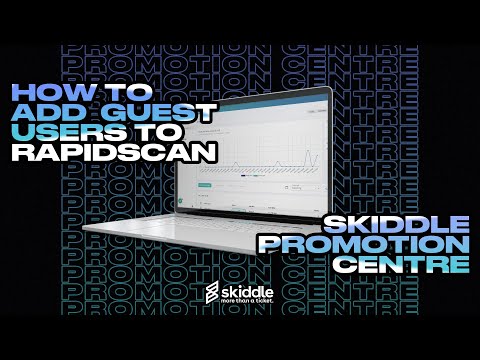
Click the settings icon in the top right-hand corner of the Promotion Centre dashboard, and select 'Manage RapidScan Devices'. In the pop-up, select ‘Add Device Code’. Next, create a nickname and a pin code for your guest, to ensure they can log in to your account, and set the location of the guest/device. Click ‘Save’. Speed up the process of logging users into your account by selecting ‘Login Via Code’ when signing in to the RapidScan app. Use the camera of the guest users device to scan the QR code which appears, ensuring that the RapidScan app has first been downloaded. Read our FAQ article on adding guest users to RapidScan or watch our how-to video guide below.
Read the full article

How do I hire Skiddle’s RapidScan devices?

To hire our innovative RapidScan Scanning Devices, complete and submit this form.
Complete the form

This website uses cookies to enhance user experience and to analyze performance and traffic on our website. About cookies

All accessibility options have been reset

Accessibility settings

Accessibility profiles

Colour blind
Dyslexia

Content

Increase text
Line height
Dyslexia Friendly
Hide images
Text Alignment

Navigation

Zoom: 100%

Colour

Grayscale
High saturation
Low saturation
High contrast