





Read article

Output Belfast 2026: Founder Mark Gordon previews its biggest edition yet
-
By Dale Grogan
- 17 Sep 2026
- 6 min read
Home » Sell tickets »
Capture interest before tickets go on sale, streamline event-day entry, and learn more about your audience with tools built for conference organisers.
Register your account
Create your free Promotion Centre account and begin listing conferences and networking events in minutes.
Create an event
Capture attendee information, build early demand, and manage registrations with easy-to-use event tools.
Start selling tickets
Reach industry professionals and sell tickets with no upfront costs.
Highly rated by our customers
"Having a platform like Skiddle on board has helped us to reach a much bigger audience. We’ve grown so much over the past decade, and this partnership is a key part of taking Laces Out! to the next level, bringing more people together to celebrate this community in the North West."
Laces Out Festival
"The Skiddle team are very hands-on in their approach. They strive to answer any queries we might have promptly. They always ensure the whole process of setting up and running an event is a seamless one. We couldn't recommend using them enough."
Digbeth Dining Club
65,236 Skiddle followers
"The Skiddle team have been absolutely incredible throughout our experience with them and their services. Their passion for helping the world's only dedicated nightlife movement for video games has been unmatched, and our team are super excited to see how our brand will grow with their support in the years to come."
Format Gaming
Allow potential attendees to register their interest before tickets go on sale and automatically notify them when booking opens, helping convert demand into confirmed bookings. Learn more
Collect valuable information during registration to understand attendee interests, gather feedback, and improve future conferences.
Offer flexible payment options such as PayPal Pay in 3 so attendees can spread the cost of higher-value tickets. Make it easier for attendees to secure their place. Learn more
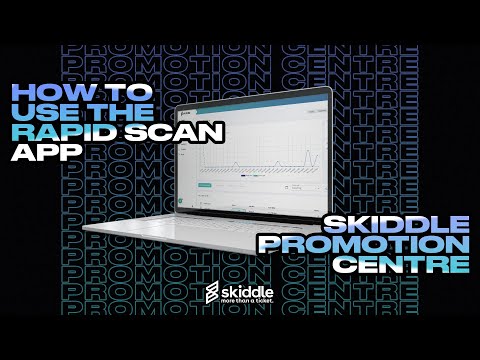
Use RapidScan, Skiddle’s free ticket scanning app, to speed up entry, manage multiple access points, and create a seamless arrival experience for delegates. Learn more
Read article
By Dale Grogan
Read article
By Dale Grogan
Read article
By Dale Grogan
| Feature |

|
See Tickets | Ticketmaster | Gigantic | Eventbrite |
| Brand Alerts | Yes | Yes | Yes | Yes | Yes |
| Push Notifications | Yes | No | Yes | No | Yes |
| Cool Off (72hr Refund) | Yes | No | No | No | No |
| Customer App | Yes | No | Yes | No | Yes |
| WhatsApp/SMS alerts | Yes | No | No | No | No |
| Spotify Integration | Yes | Yes | Yes | Yes | No |
| Same-day Remittance Payments | Yes | No | No | No | No |
| White Label Ticketing | Yes | Yes | Yes | Yes | No |
| Skiddle Reps (Affiliate Marketing) | Yes | No | No | No | No |
| Dedicated In-house Marketing Team | Yes | Yes | No | Yes | No |
Get in touch with our Account Support team.
How do I scan my event tickets?
How do I add checkout questions?
How do I set up PayPal Pay in 3 for my event?
How do I enable Remind Me on my event?
Accessibility settings
Accessibility profiles
Content
Navigation
Colour